Plan the Door to Door Experience
Using the Hoverfly T3 for shopping or appointments is easier when the entire trip is considered. Map the route from the home charging area to the vehicle or sidewalk, through the destination, and back again. Confirm accessible entrances, elevator locations, and any scooter policies. Busy stores may have narrow displays or temporary obstacles that do not appear on a floor plan. Allow extra time so the rider can slow down at doors, crossings, and crowds without feeling pressured.
Use the Basket Intentionally
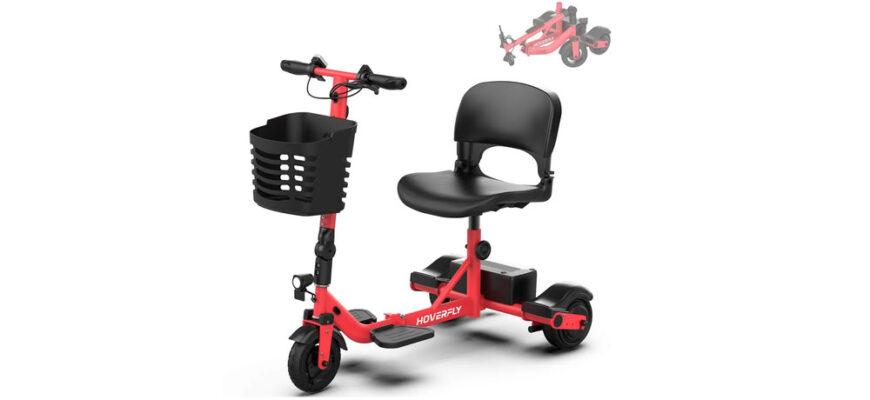
The T3 product page includes a front basket, which can keep small purchases and personal items within the scooter’s intended footprint. Place heavier items low and centered, and do not block the rider’s view or controls. Avoid hanging bags from the tiller, where they can swing, interfere with steering, or change the feel of the scooter. Remember that the listed 330 pound capacity should account for the rider and carried items. For a large shopping trip, delivery or a companion’s cart may be the better choice.
Navigate Stores at a Calm Pace
The T3 lists a top speed of about 3.75 mph, but indoor conditions often require a much slower setting. Reduce speed before entering an aisle or turning around an end display. Leave space around children, carts, and people who may step backward without looking. Use the horn politely when visibility is limited. Reverse only after checking behind and to both sides. The goal is predictable movement that gives the rider and pedestrians time to understand one another.
Protect the Schedule and the Battery
The official maximum range is 13 miles, while actual distance varies with load, surface, temperature, hills, and repeated starts. Include movement inside the store, clinic, or shopping center when estimating the trip. Large buildings can add meaningful distance. Keep a reserve for a changed parking spot or a detour to another entrance. Appointment days also involve waiting, so check the battery indication before leaving rather than assuming yesterday’s charge is sufficient.
For current product details, review hoverfly t3 on the official Hoverfly page.
Choose a Safe Place to Stop
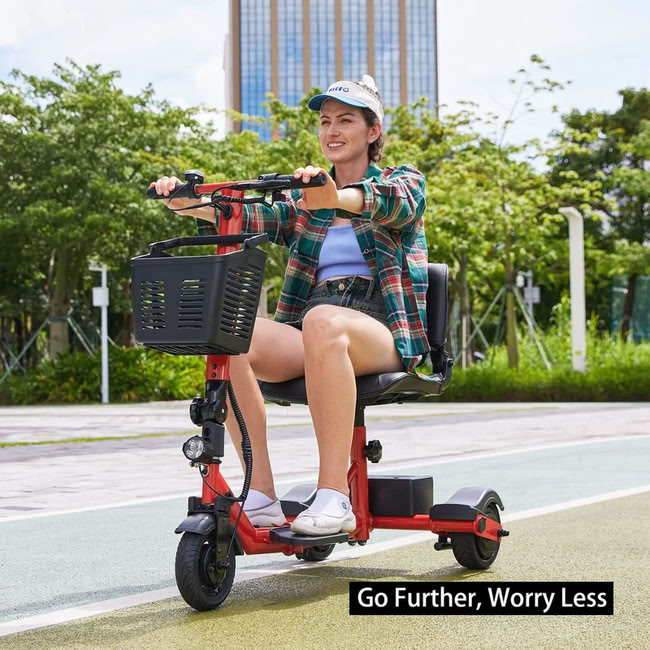
For check in, payment, or a transfer, stop on a level area where the scooter does not block an aisle or doorway. Follow the manual’s instructions for switching off and securing the unit. Keep personal items organized so the rider does not twist or reach suddenly. At a clinic, ask staff where mobility devices can be positioned during an examination. At a cafe or store counter, approach from an angle that leaves a clear exit instead of becoming boxed in by furniture or carts.
Review the Trip for Next Time
After returning, note which entrance, aisle, or parking location worked best. Record any surface that felt rough and whether the basket capacity matched the errand. Inspect the scooter, remove debris, and charge it according to the manual. If the outing was tiring, shorten the next trip or add a planned rest. The T3 becomes more useful when ordinary journeys are repeatable. A small amount of preparation can turn shopping and appointments into familiar routines rather than complicated one off events.
Practical Takeaway
For recurring appointments, save the best entrance and parking location in the calendar invitation. Add the approximate indoor distance and any check in instructions. Pack only what fits safely in the intended storage area, and use delivery for bulky purchases. If the venue changes rooms or buildings, recalculate the route instead of relying on the old plan. The scooter supports independence most effectively when the surrounding logistics are organized before the rider reaches a crowded entrance.